Disclaimer: The Simplifier MCP Server is an optional open-source add-on that must be installed and operated separately; it is not part of the Simplifier core platform or the BTP-certified platform or hosting package. External AI clients are third-party products, and their configuration and behavior can change independently. Before connecting an agent, check the permissions granted to its Simplifier user and follow your organization’s policies for credentials and data.
What is a API Key (API Token) and why use one?
An API Token, API Key or Personal Access Token (PAT) in Simplifier, is a credential for API access. Unlike a session token, it has its own permission scope and expiration date. Use it for system-to-system integrations or external AI agents that need controlled access to Simplifier.
Create an API Token
- Open your Simplifier Profile and go to API Tokens.
- Create a token and enter a descriptive name.
- Set the expiration date.
- Select Select permissions… and choose only the permissions required for the intended integration. A token cannot have permissions that your user account does not have.
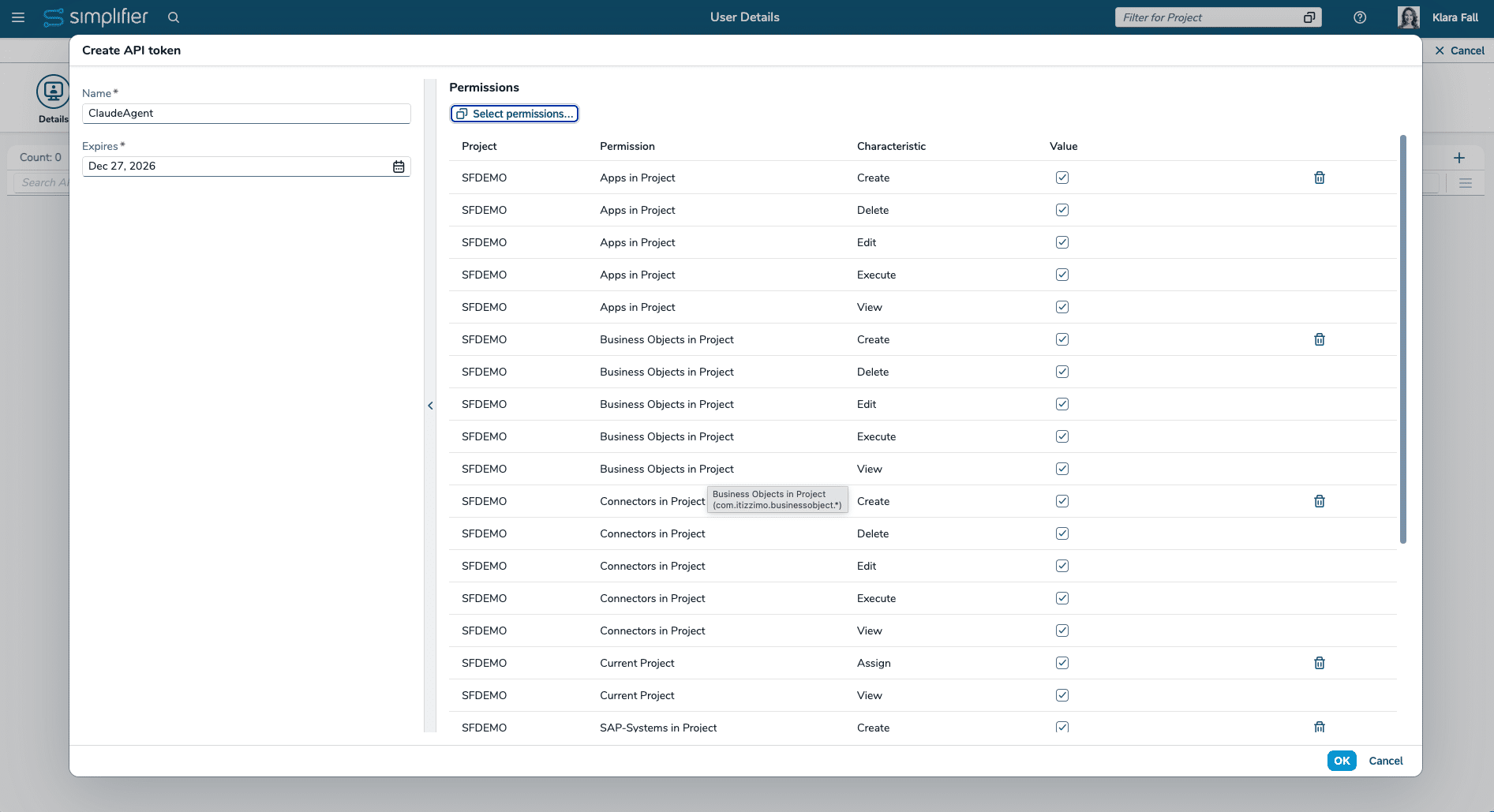
Choose only the permissions needed for API and MCP access. Do not copy broad example permissions.
- Confirm the selected permissions.
- Create the token. When the secret is displayed, copy and store it securely. It is shown only once and cannot be displayed again.
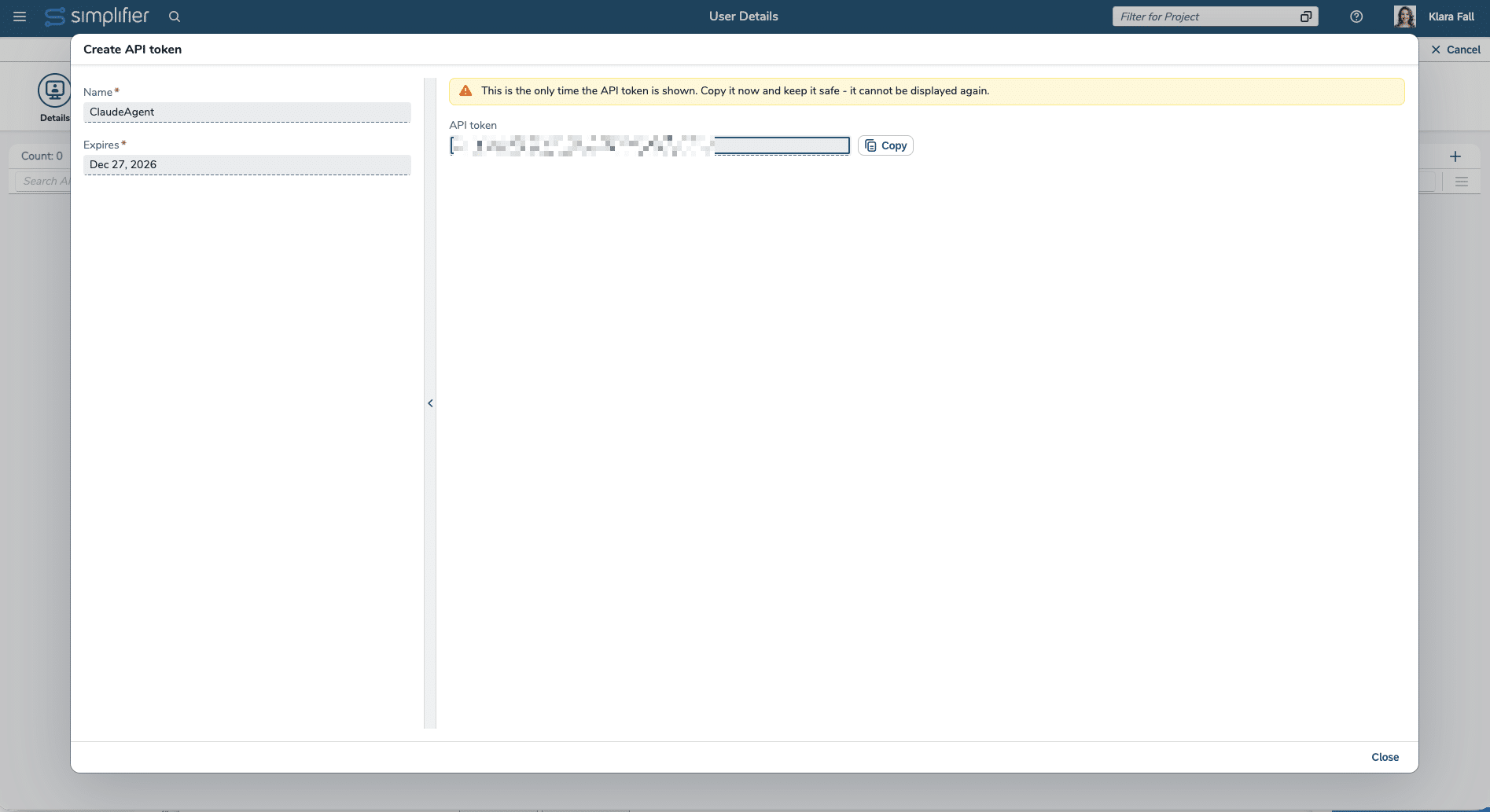
The token secret is shown only once. The example value in this screenshot is obscured; never share a real token.
Scope and current use
Keep the permission scope to the minimum needed. The current intended scope is API and MCP access. For Simplifier MCP, set the secret as SIMPLIFIER_APITOKEN. Do not set it together with SIMPLIFIER_TOKEN or SIMPLIFIER_CREDENTIALS_FILE; only one of these authentication options should be configured at a time.
Git authentication will follow. The current scope described here is limited to API and MCP access.
Security
- Store the token in an approved secret manager; do not add it to source code, repositories, screenshots, tickets, or chats.
- Use a separate token for each integration where practical, and revoke a token that is no longer needed or may have been exposed.