Business Agents bring AI into your processes. Other than our AI Agents they are not ment to implement solutions, but to be used within your solution to enhance the possibilities and value for your business.
By configuring Business Agents, you can make your AI models available in your processes. Business Agents are based on ‘Bring your own key’ only. Thus there are no additional AI costs by Simplifier.
Configuring Business Agents
Requirements
- Business Agents require an project assignment
- The permission to configure Business agents is granted by assigning a project role with create/edit Business Agent permission to a user
Providers
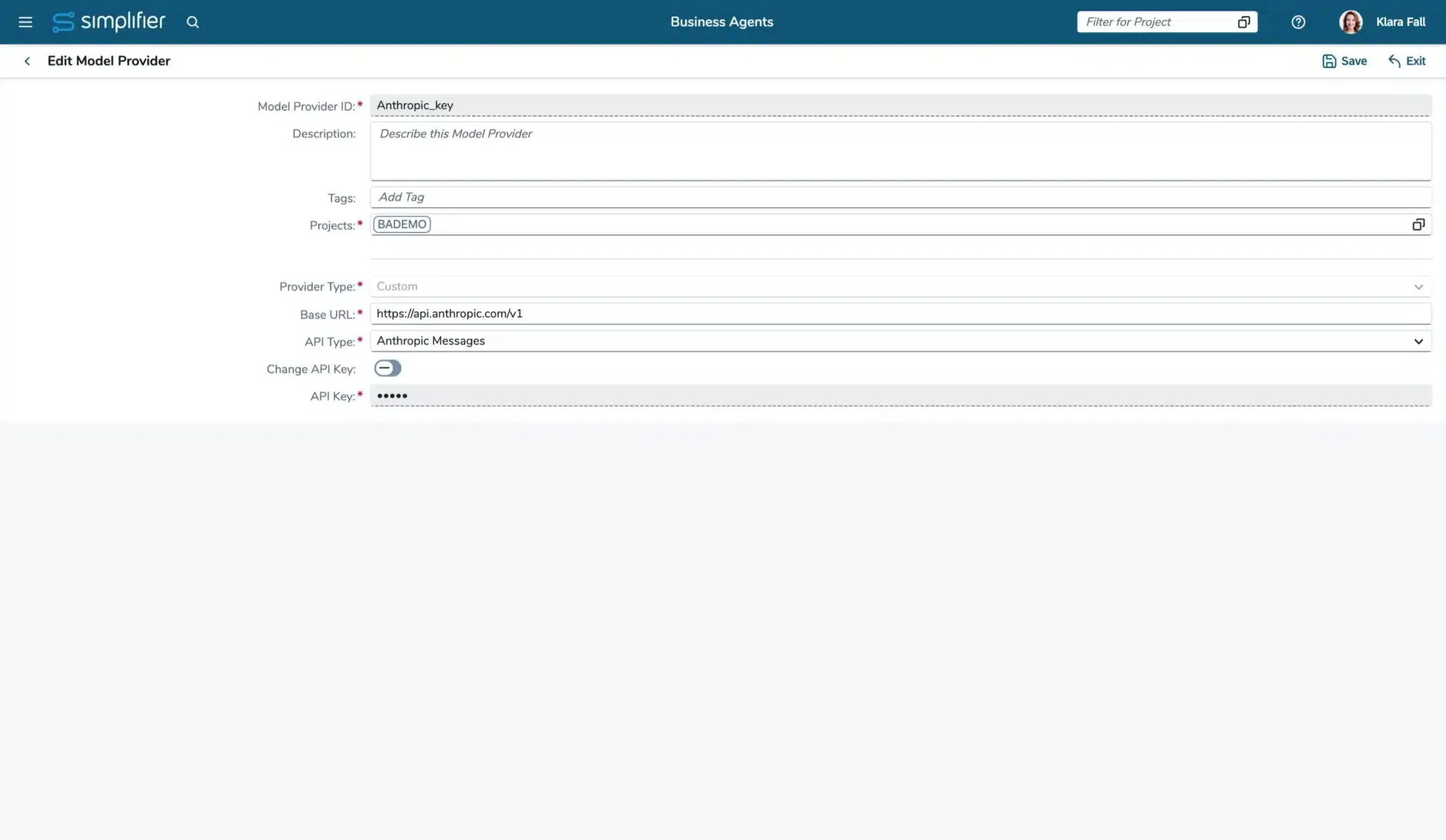
Before you can configure the Business Agent itself, you have to add your AI providers. These are used by the Business Agent.
Via the provider, you define its URI, its type, and the API key that should be used. The provider’s model is selected with the Business Agent.
Business Agents
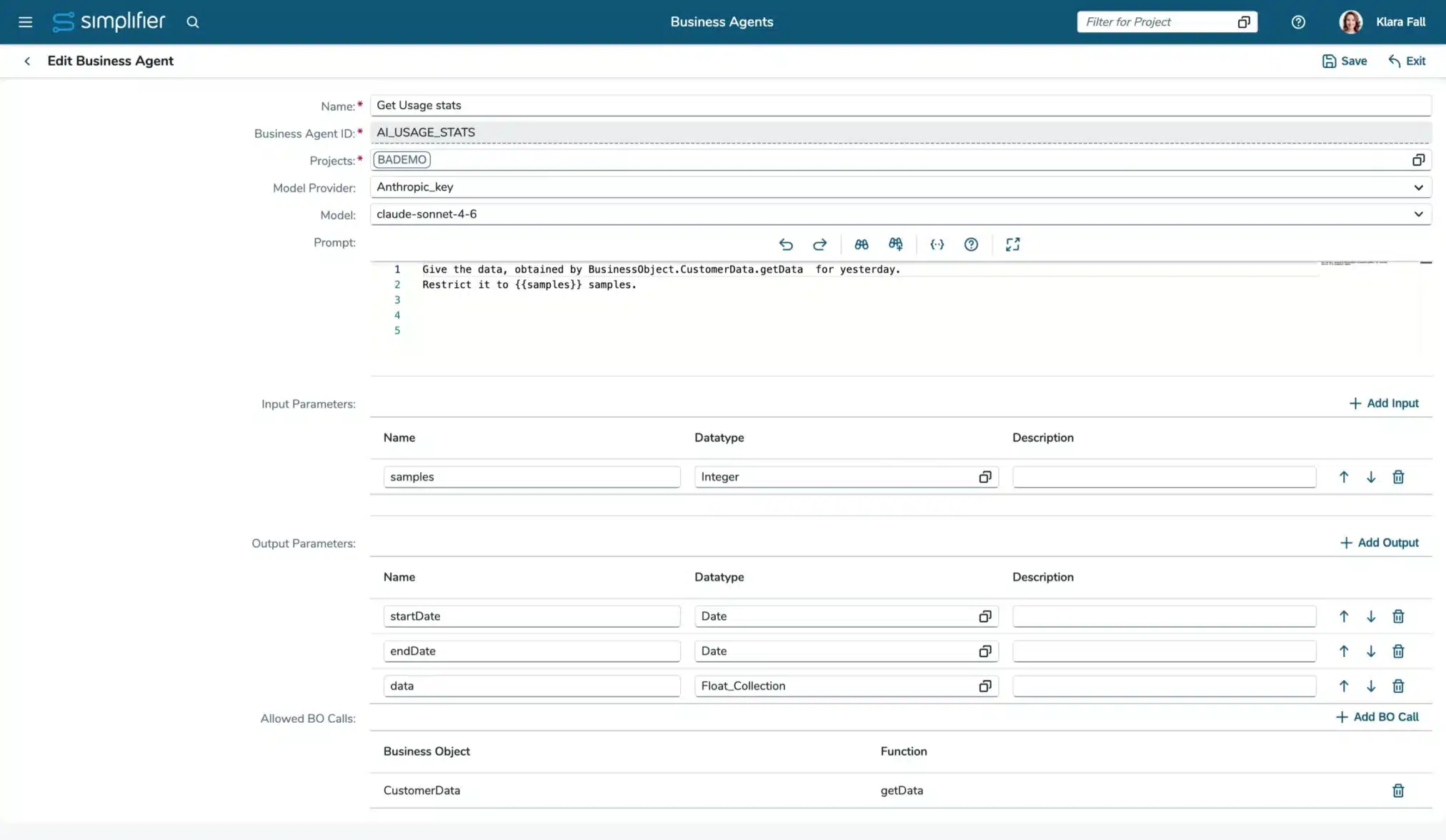
Now you can configure your Business Agents, based on the selected Provider you can select a model.
The prompt is sent to the model. You can use
- input parameter values via placeholder ({{param name}})
- let the agent call business objects (Prompt format BusinessObject.BO_Name.BO_Function). The calls have to be allowed
Currently, there is only a structured output possible. To make it available to your process, define the relevant output parameters and instruct the agent via the prompt to deliver the required structure.
Security
Every agent run executes inside one shared, dedicated container – and each run is isolated in its own sandbox. Inside that container, every run gets its own separate working directory, so one run can never read or touch another run’s files. Tool calls are scoped the same way: a tool can only reach the working directory of the run it belongs to. The network is locked down as well.
A domain allow-list makes sure that only approved Simplifier integrations are reachable – any other external domain is simply blocked. The result is defense in depth: container, sandbox, separated file systems, tool policy and a domain allow-list, working together. Business agents run controlled, isolated, and true to your integrations.
In addition, Business Agents do not have own permissions. The Business Agents inherit the user’s permissions in Simplifier, making sure the user cannot bypass his permissions by using Business Agents.
Restrictions
- At the moment we are focussing on the technical functions of Business Agents. The user experience will be optimized as soon as the basic feature set is implemented
- There is no memory management
- There is no business monitoring of agents
- Only structured output can be processed
- Currently, there is only a restricted list of API types supported
- Besides OpenAI you need to set the base URL of your model manually
Using Business Agents
Currently, Business Agents can only be directly used in Server-side Business Objects. Simply use the SBO API, to execute an Business Agent. E.g.:
Simplifier.BusinessAgent.<name>({ "input_param_1": 50})
All executions are logged in the monitoring of your instance.
To use the Business Agents in Workflows, you need to execute them in a Server-side Business Object and add that as automated task currently.