 Daniel
Moderator
 Has successfully completed the online course Introduction
 Has successfully completed the online course Intermediate (200)
 Has successfully completed the online course Advanced (300)
 Has successfully completed the online course Basics (100)
 4 years, 4 months ago
#32980
::
Hey,
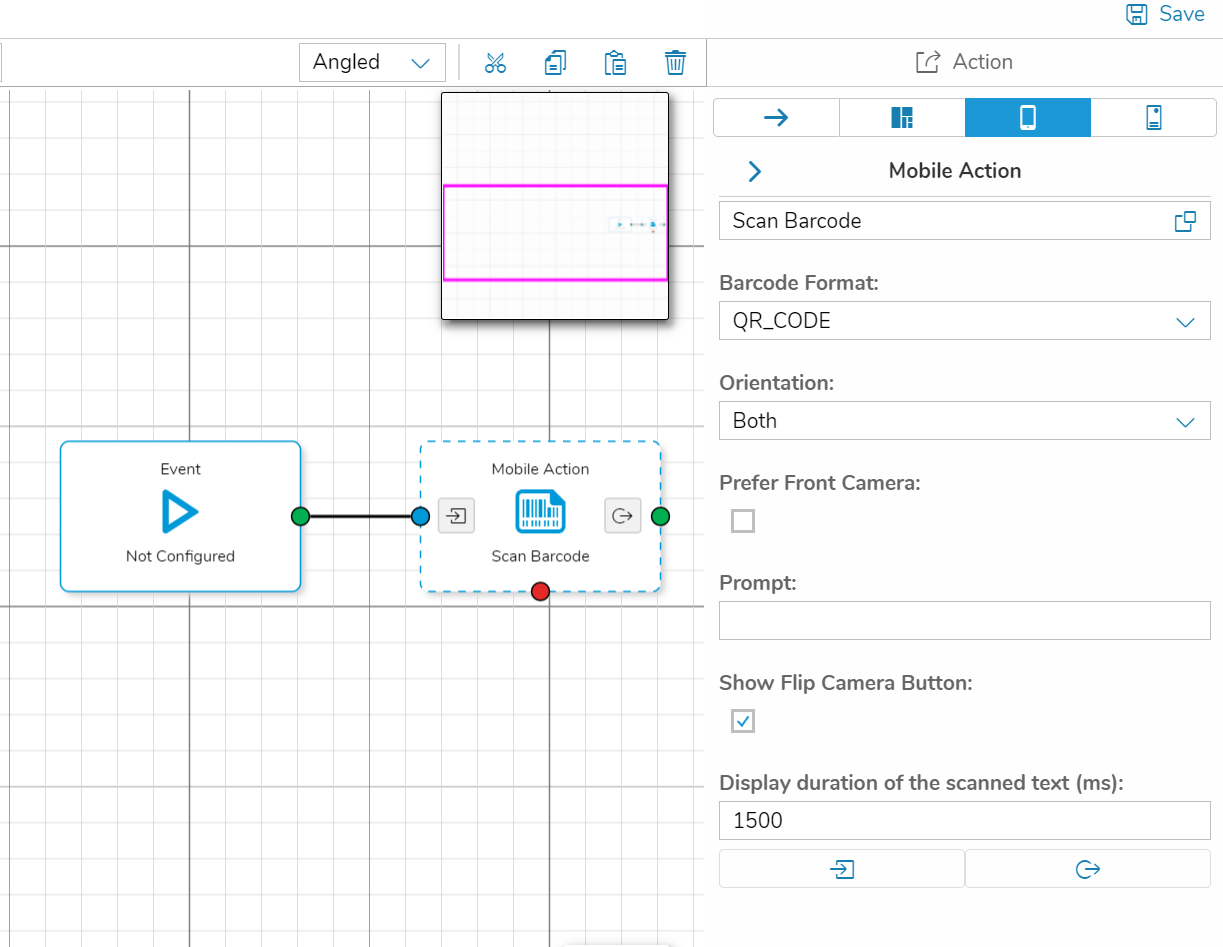
you can use the “Mobile Action” in the process Designer to scan a QR Code.
Simply drag and drop one of those shapes onto your process grid and select the “Scan Barcode” action. The QR Code is selected by default.
The event can be triggered for example via a button press. Once the event is triggered the camera of the device will open and scan a QR code. You can access the result via the output mapping of the scan barcode event.
Please note that this functionality requires the end user to use the simplifier mobile client! This will not work when the app is simply used via browser.
Best regards,
Dan